

SmartDirectoryAI’s email verification feature allows you to check the deliverability of the email addresses associated with your leads before using them for outreach.
Verifying your leads can help you identify undeliverable email addresses, maintain a cleaner prospect list, and avoid wasting outreach on addresses that are unlikely to receive your messages.
How to Verify Your Leads
From your SmartDirectoryAI dashboard:
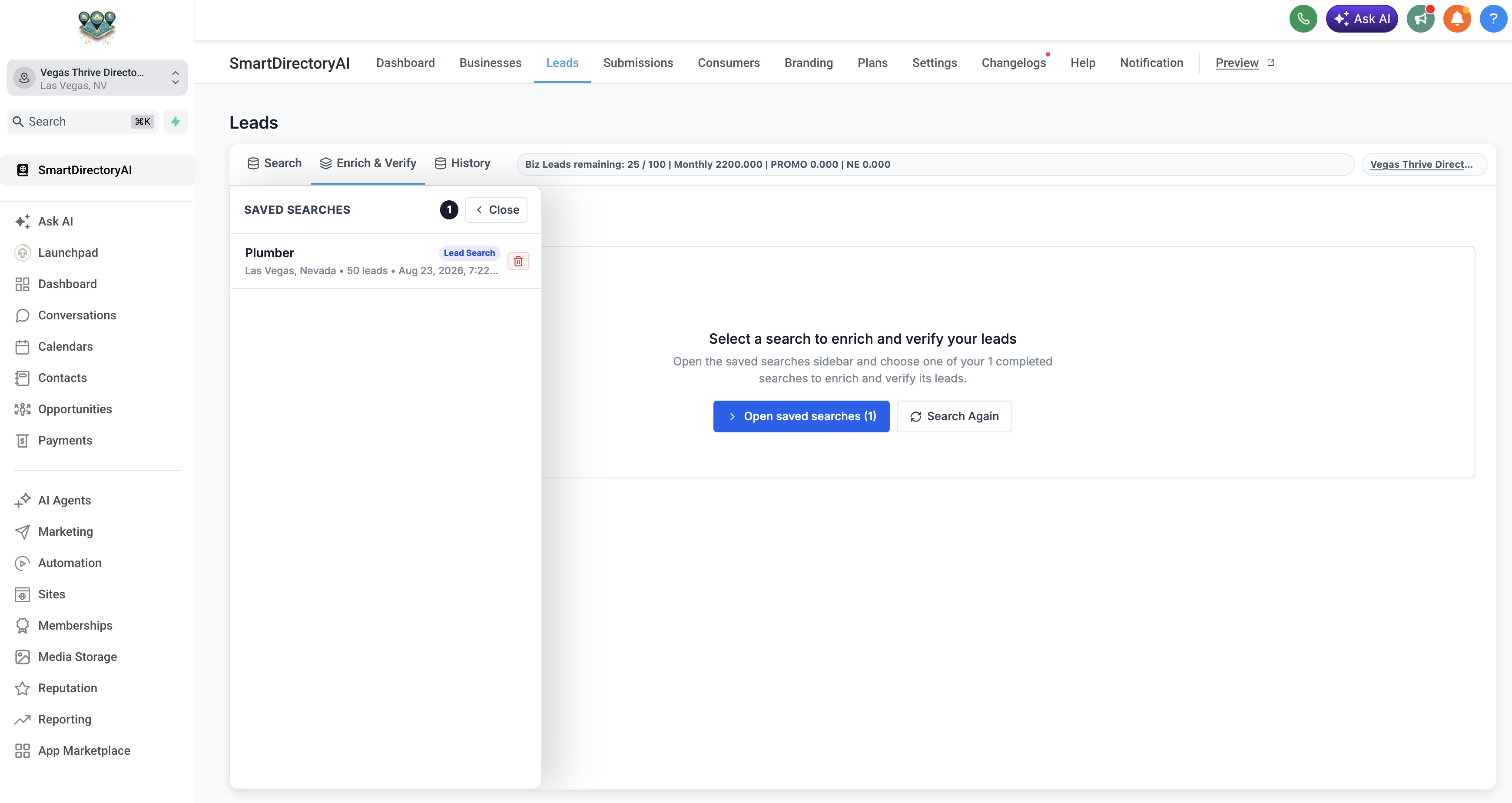
Click Leads in the top navigation.
Select the Enrich & Verify tab.
Open Saved Searches and select the search you want to work with.
Review the leads included in your search.
Click Verify Email.
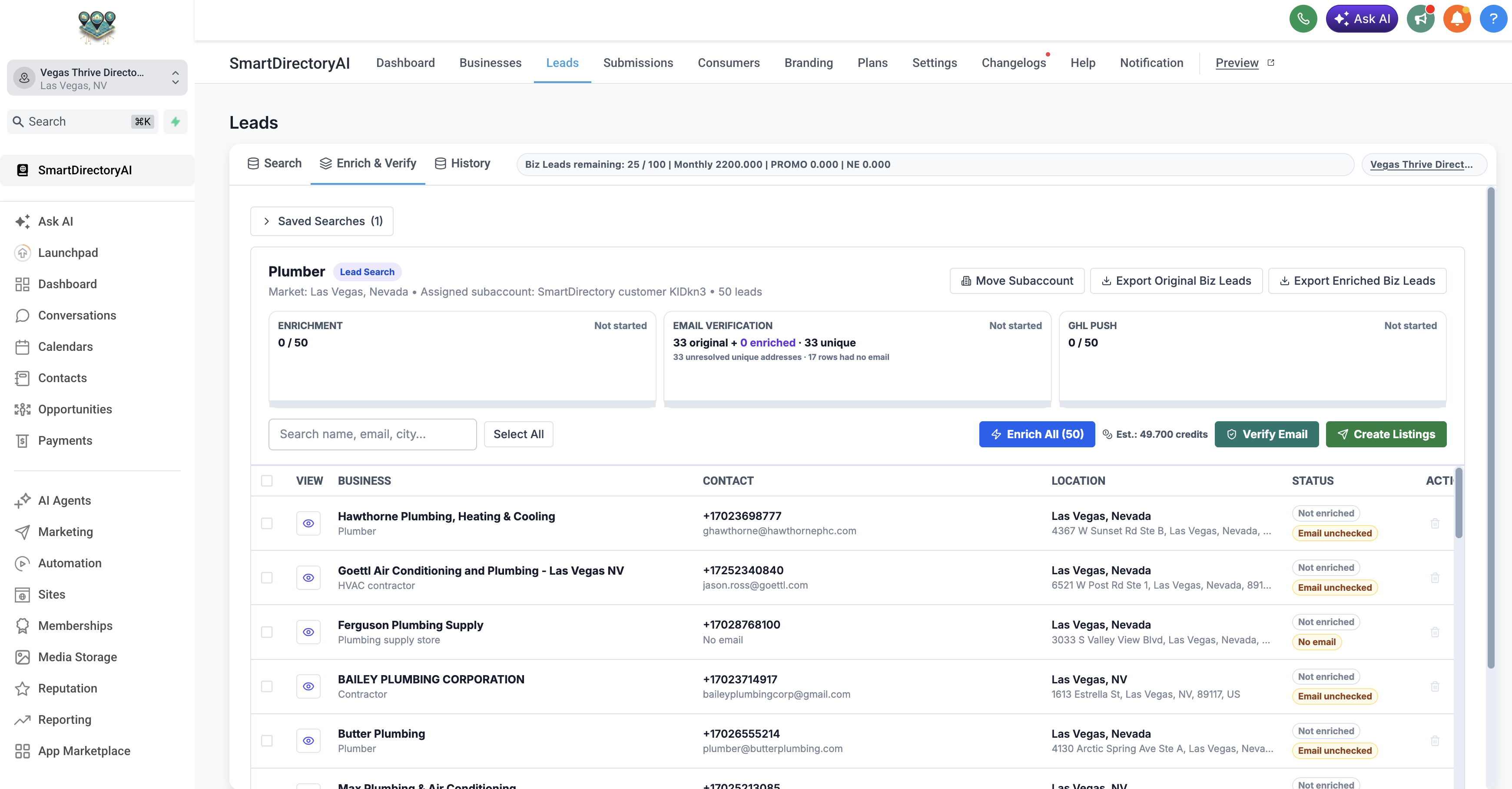
SmartDirectoryAI will automatically identify the email addresses within the saved search that are eligible for verification.
Review the Verification Cost
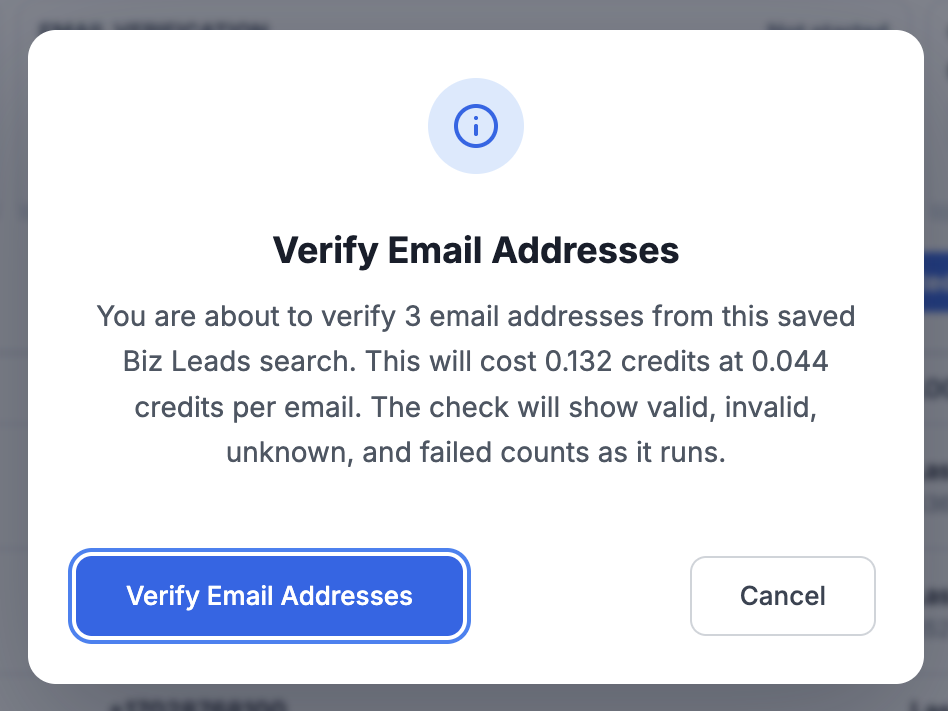
Before verification begins, SmartDirectoryAI will display a confirmation showing:
The number of email addresses that will be verified
The cost per email
The estimated total credit usage
Only leads with an email address can be verified.
Review the estimated usage and click Verify Email Addresses to continue.
Wait for Verification to Complete
SmartDirectoryAI will process each email address and check its deliverability.
As the verification runs, each email will be classified based on the results of the check.
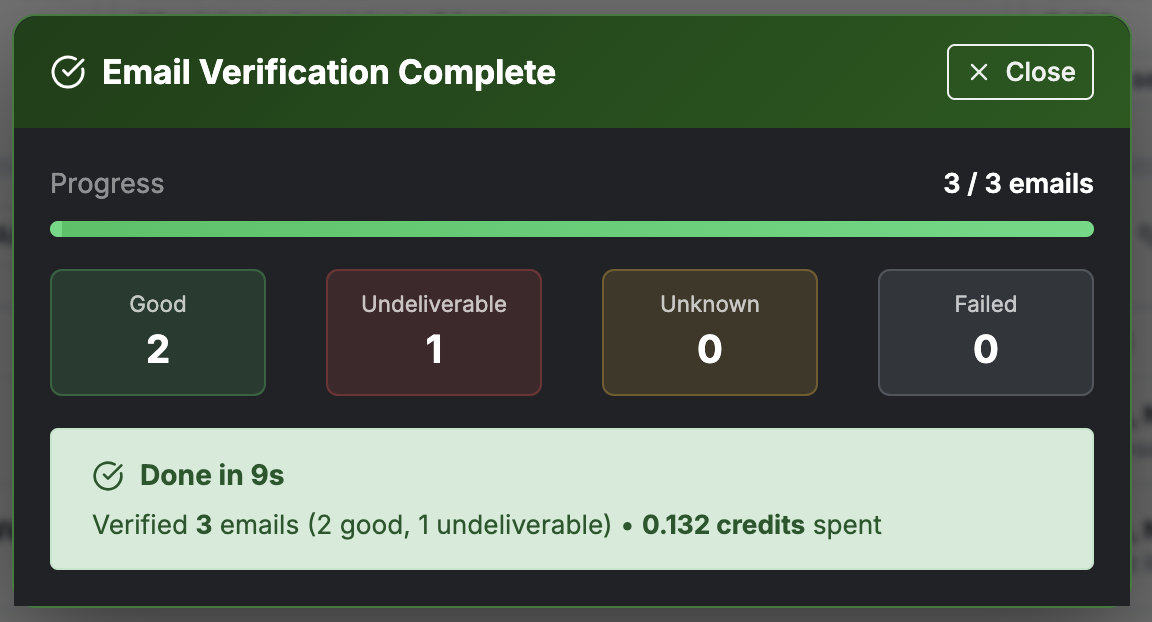
When the process is finished, you'll see an Email Verification Complete screen with a summary of your results.
Understanding Your Verification Results
Your verification summary separates the email addresses into four categories:
Good – The email address passed verification and appears deliverable.
Undeliverable – The email address did not pass verification and should generally not be used for outreach.
Unknown – SmartDirectoryAI was unable to confidently determine whether the email is deliverable.
Failed – The verification attempt could not be completed.
The results screen also shows the total number of emails checked and the credits used for the verification.
View Verification Status for Individual Leads
After verification is complete, return to your lead list to see the email verification status associated with each business.
This makes it easy to distinguish verified email addresses from addresses that are undeliverable or haven't yet been checked.
When Should You Verify Your Leads?
We recommend verifying email addresses before beginning an email outreach campaign, particularly when you're working with a new batch of leads.
If you've also used SmartDirectoryAI's Enrichment feature, consider enriching your leads first and verifying them afterward. Enrichment may discover or update email addresses associated with a business, allowing you to verify the most current information before starting your outreach.
What Happens Next?
Once your emails have been verified, you can use the results to determine which leads you want to include in your outreach.
Focus your email campaigns on leads with verified, deliverable addresses and avoid sending to addresses marked as undeliverable.
You can then continue working with your leads inside SmartDirectoryAI, export your lead data, create listings, or move leads into HighLevel for follow-up.
Tip: Email verification is especially useful before sending a larger outreach campaign. Removing undeliverable addresses before you send can help you maintain a cleaner prospect list and reduce unnecessary failed deliveries.