

After running a lead search, SmartDirectoryAI can enrich your leads with additional business data and insights.
Enrichment goes beyond the information returned by the initial lead search. SmartDirectoryAI analyzes each business to verify existing information, find additional contact and online presence data, evaluate its Google presence, and identify potential opportunities you can use when prospecting.
How to Enrich Your Leads
From your SmartDirectoryAI dashboard:
Click Leads in the top navigation.
Select the Enrich & Verify tab.
Open Saved Searches and select the search you want to work with.
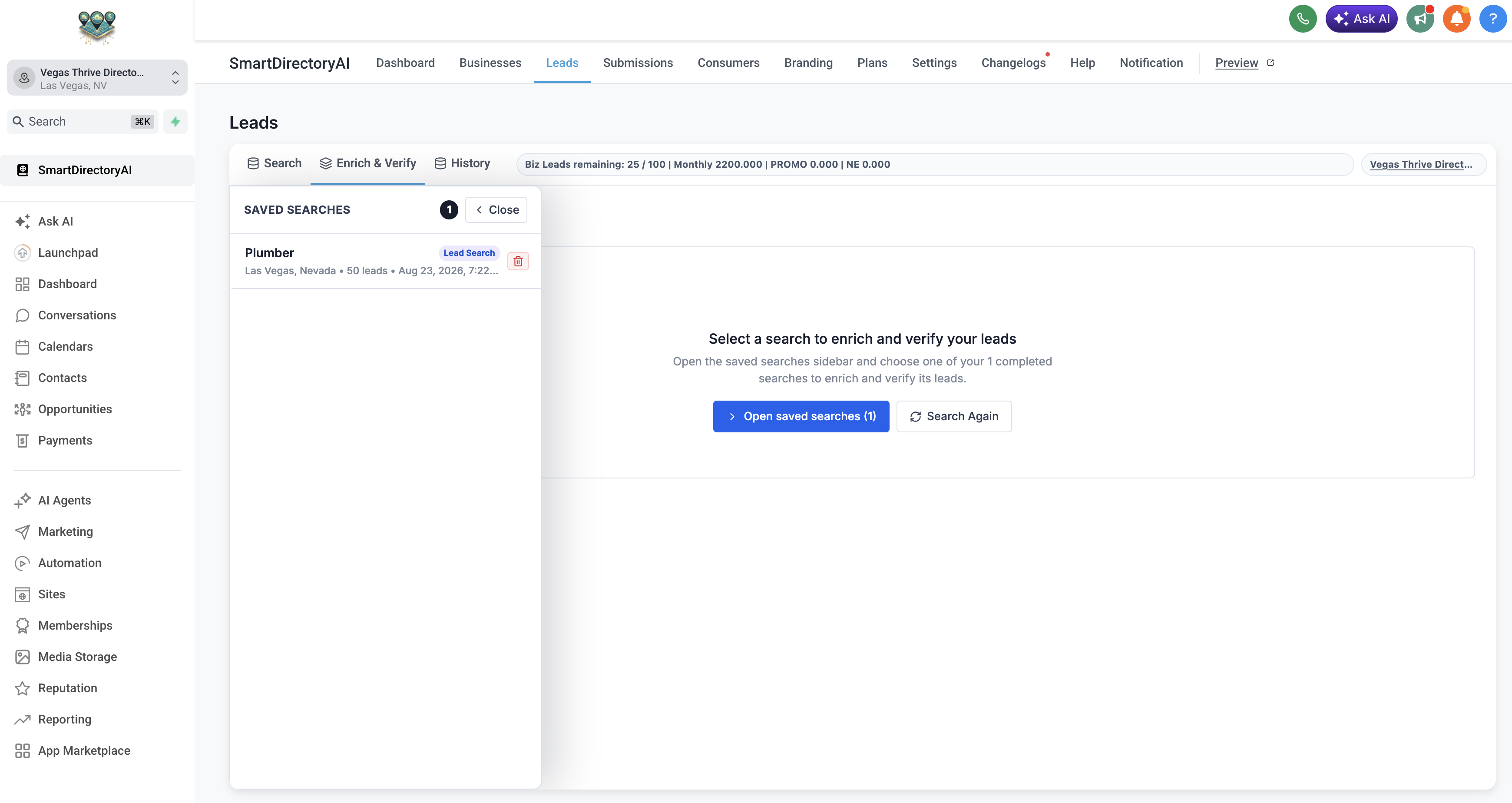
Review the leads included in your search.
Select the leads you want to enrich, or click Select All.
Click Enrich All or the enrichment option for your selected leads.
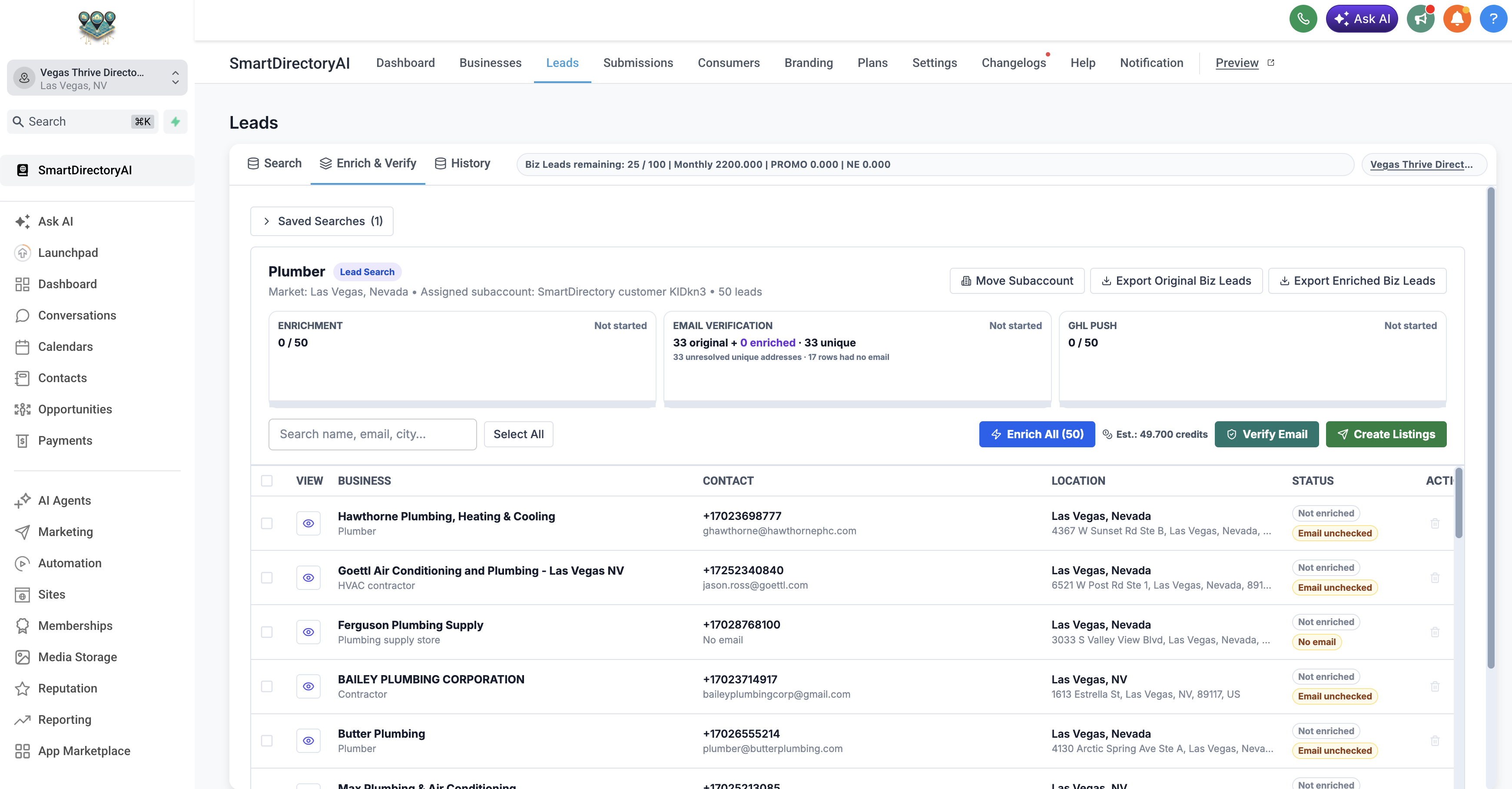
Before enrichment begins, SmartDirectoryAI will show you the estimated Biz Leads Enrichment cost.
The confirmation window displays:
Number of lead rows being enriched
Cost per row
Estimated total credit usage
Review the estimated usage and click Send to Enrichment to continue.
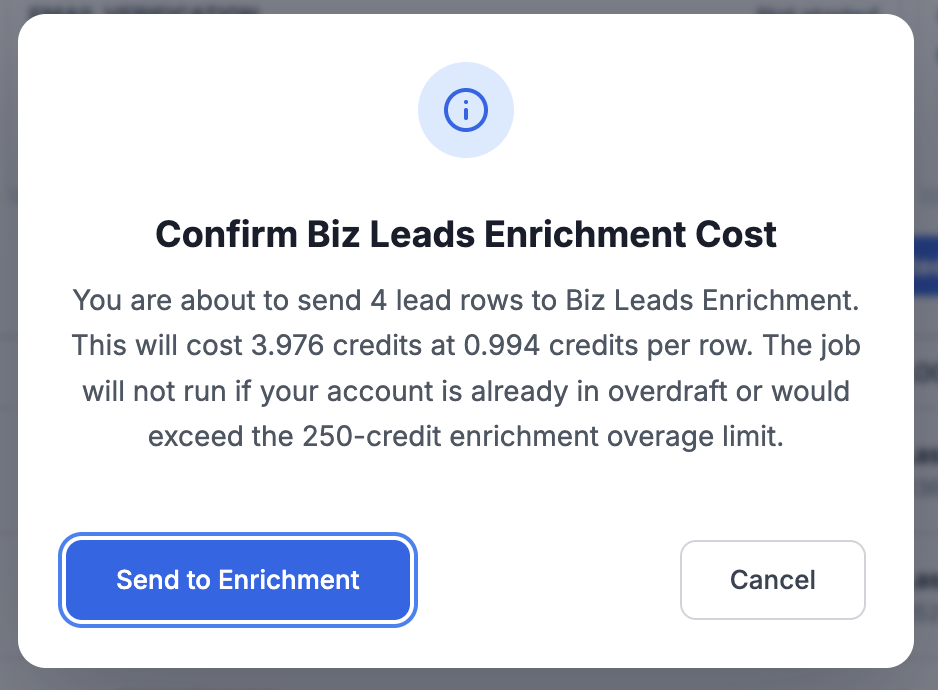
Confirm the Ranking Location
Before starting enrichment, you'll be asked to confirm the location SmartDirectoryAI should use when evaluating the businesses.
Review the:
Keywords
City
Region
Country
These settings are used for organic Google Search and Google Maps ranking data.
The fields will be populated based on your original lead search, but you can make adjustments before proceeding.
Once everything looks correct, click Start Enrichment.
Wait for Enrichment to Complete
SmartDirectoryAI will begin processing the selected businesses.
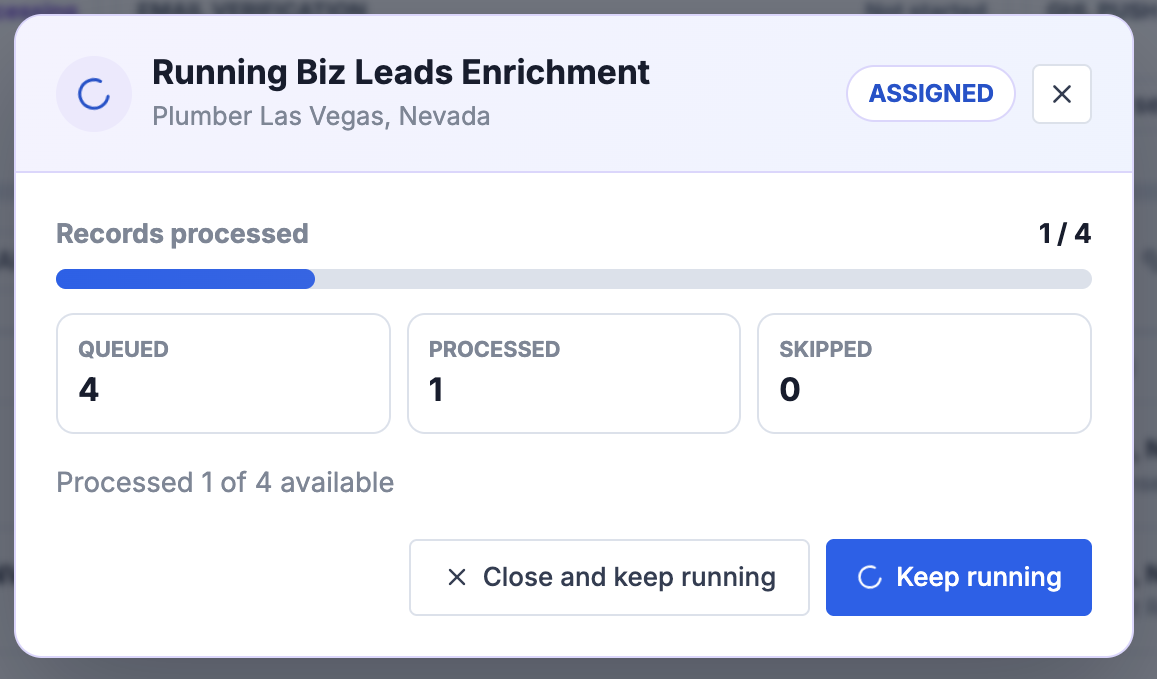
A progress window displays the number of records:
Queued
Processed
Skipped
You don't need to keep the progress window open while enrichment runs. You can select Close and keep running and continue working while SmartDirectoryAI processes the leads in the background.
Review Your Enriched Leads
Once enrichment is complete, SmartDirectoryAI compares the information originally found for each business with the information discovered during enrichment.
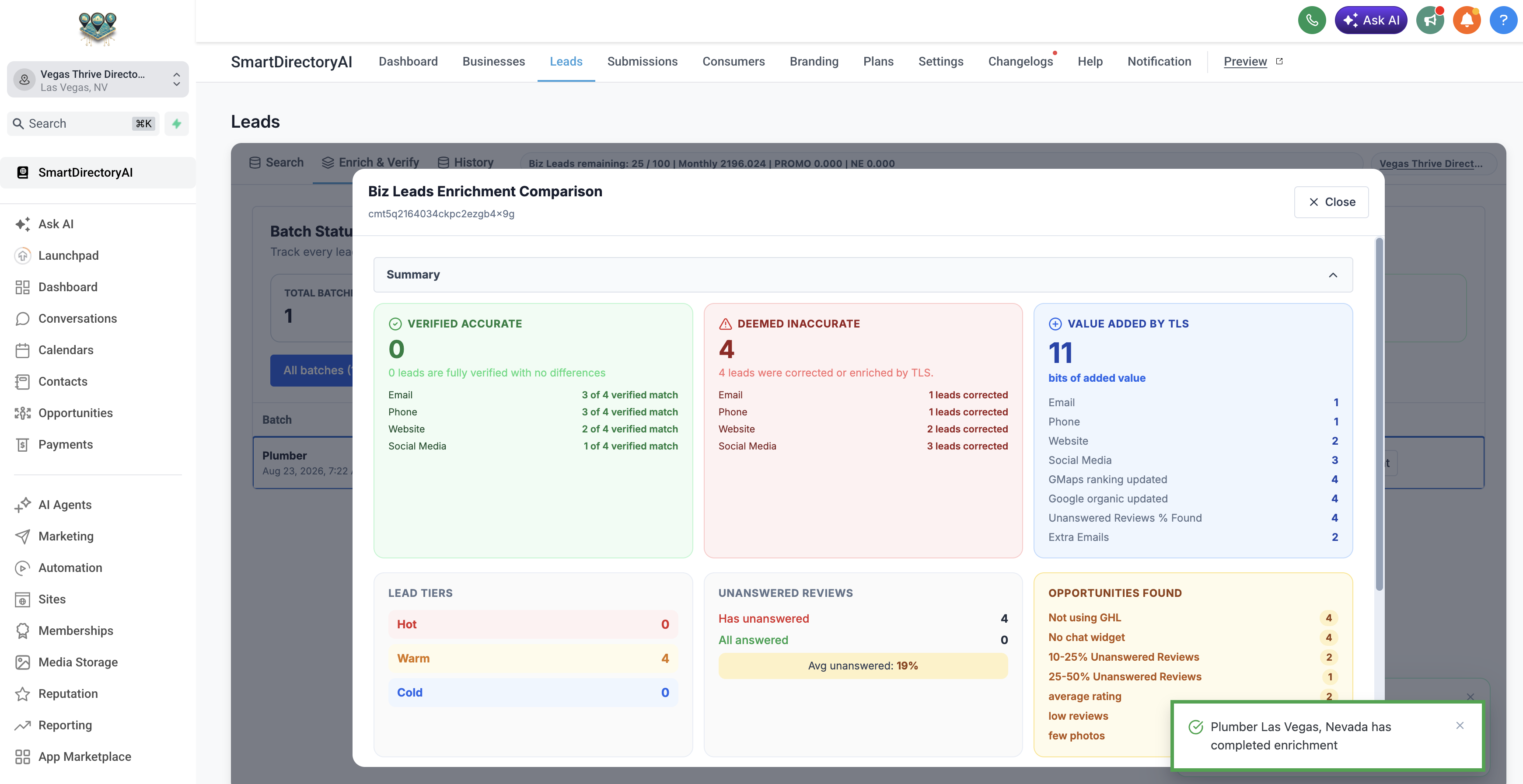
The Biz Leads Enrichment Comparison gives you a summary of what was verified, corrected, or added.
Verified Accurate
This shows information SmartDirectoryAI was able to verify without finding a difference.
Depending on the business, this can include:
Email
Phone
Website
Social media
Deemed Inaccurate
This identifies information that was corrected during enrichment.
For example, SmartDirectoryAI may discover that an email address, phone number, website, or social media profile from the original lead data is inaccurate and replace it with updated information.
Value Added
This shows additional information discovered during enrichment that wasn't part of the original lead record.
This may include:
Additional email addresses
Website information
Social media profiles
Google Maps ranking data
Google organic ranking data
Unanswered Google reviews
Other useful business information
Identify Your Best Opportunities
Enrichment isn't just about finding more contact information. SmartDirectoryAI also analyzes the business for potential marketing opportunities.
The enrichment results can identify opportunities such as:
Not using HighLevel
No chat widget on the website
Unanswered Google reviews
A high percentage of unanswered reviews
Low average Google rating
Low number of reviews
Few business photos
Weak Google Maps or organic search rankings
These insights can help you quickly understand where a business may need help and give you specific talking points for your outreach.
Lead Tiers
SmartDirectoryAI also groups enriched businesses into lead tiers, helping you prioritize which prospects may be worth contacting first.
You'll see leads categorized as:
Hot
Warm
Cold
Rather than treating every business in a search equally, use these tiers alongside the opportunities found during enrichment to decide which prospects you want to focus on.
What Happens Next?
Once your leads have been enriched, you have a much more complete picture of each business and the opportunities that exist.
You can use this information to prioritize your outreach, personalize your sales conversations, verify email addresses, create listings, or move your leads into HighLevel for follow-up.
Tip: You don't necessarily need to enrich every lead you find. Consider using your initial search results to narrow down the businesses you're most interested in, then enrich those leads to get the additional data and opportunity insights you need for targeted outreach.