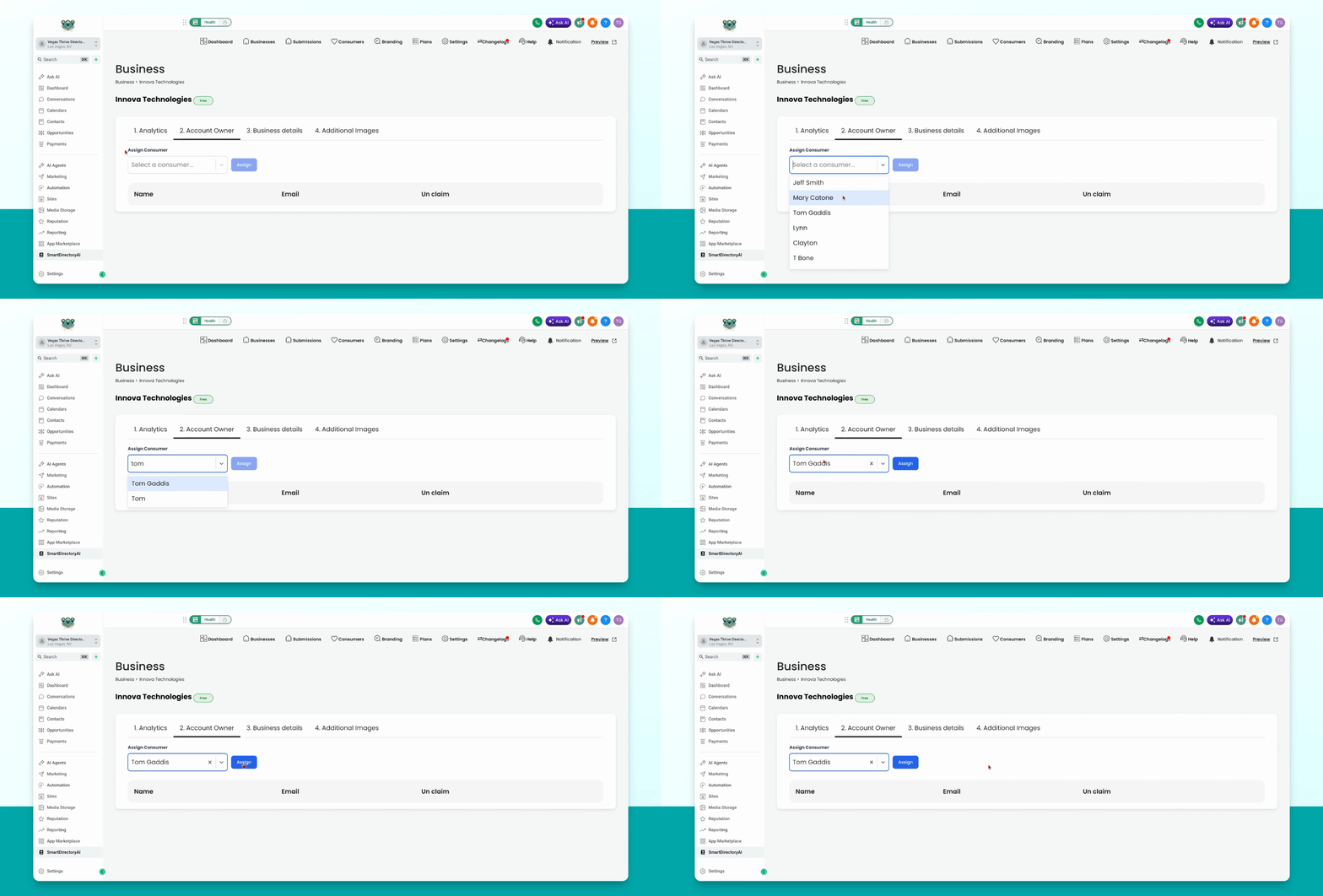
This guide explains how an admin can claim a business listing for a consumer account in Smart Directory AI. The consumer account must already exist before you can assign the listing. Let's look at the steps:
Step 1: Prepare Consumer Account
Ensure the person you want to assign the listing to has a consumer account. If not, create a consumer account for them.
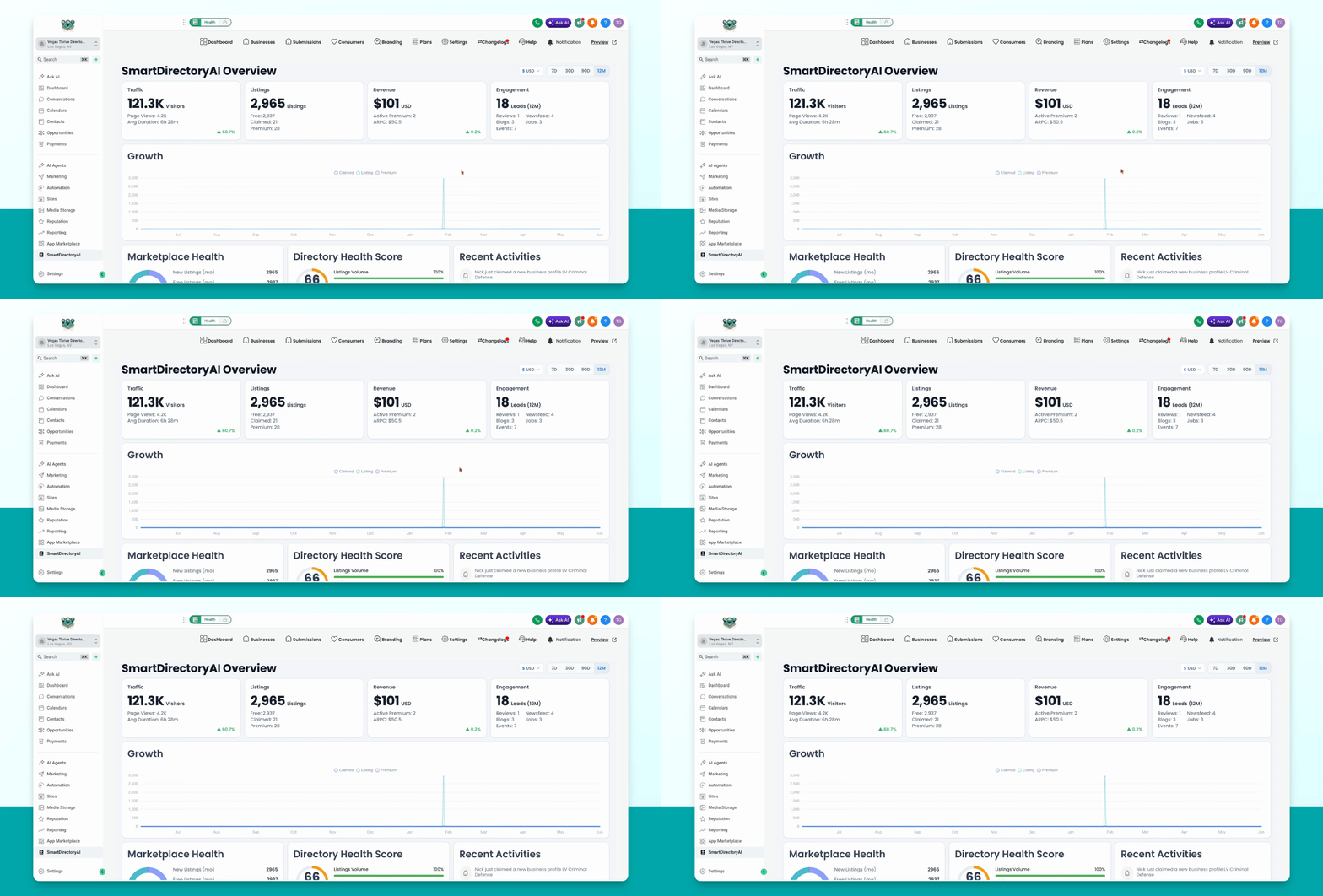
Step 2: Find and Edit Business
In your Smart Directory AI dashboard, go to Businesses. Locate the business you want to claim and click the pencil icon to edit.
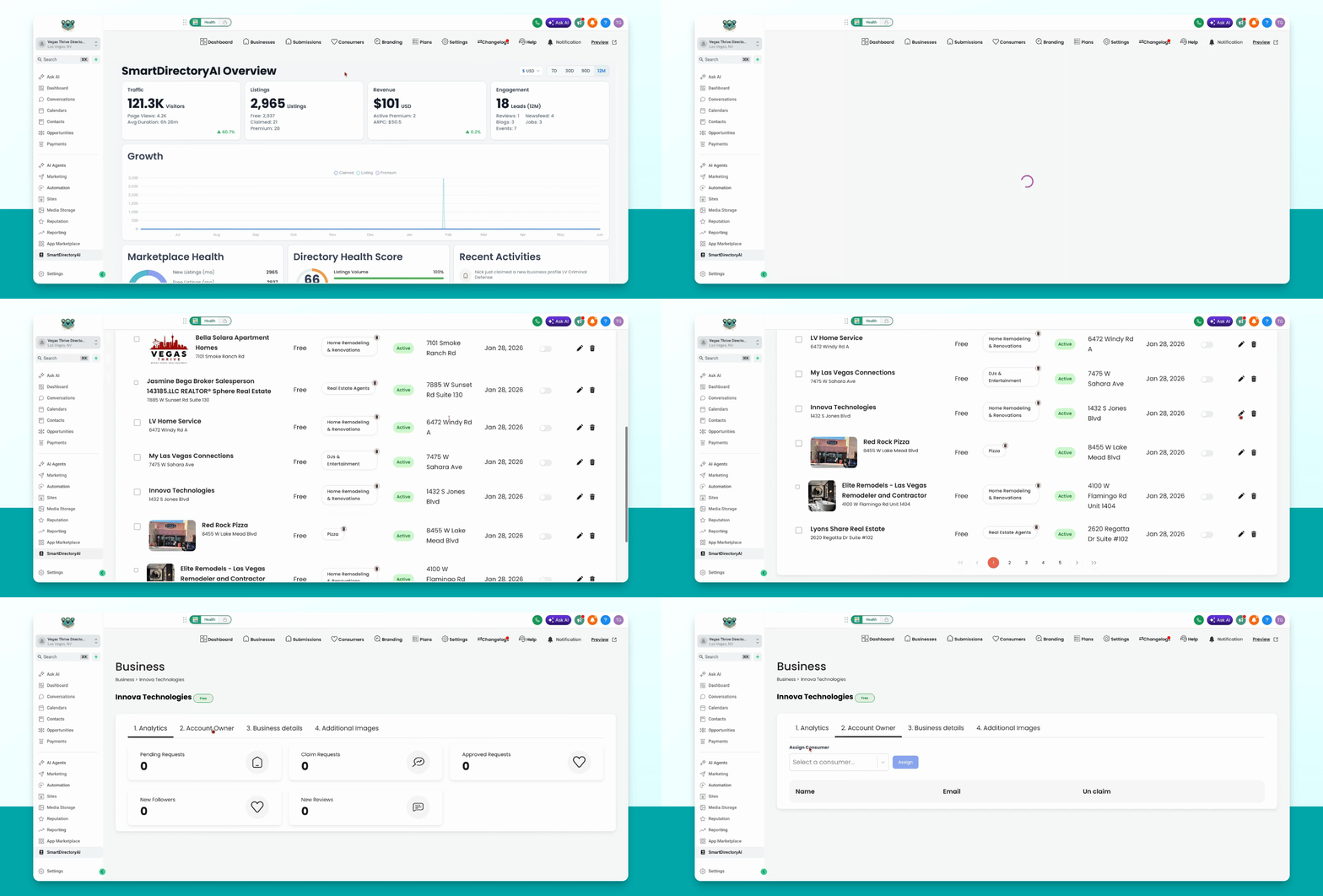
Step 3: Assign Consumer as Owner
Navigate to the Account Owner tab. In the Assign Consumer dropdown, either scroll to find the consumer or start typing their name. When their name appears, select it and click the blue Assign button.