

Let's do it together!
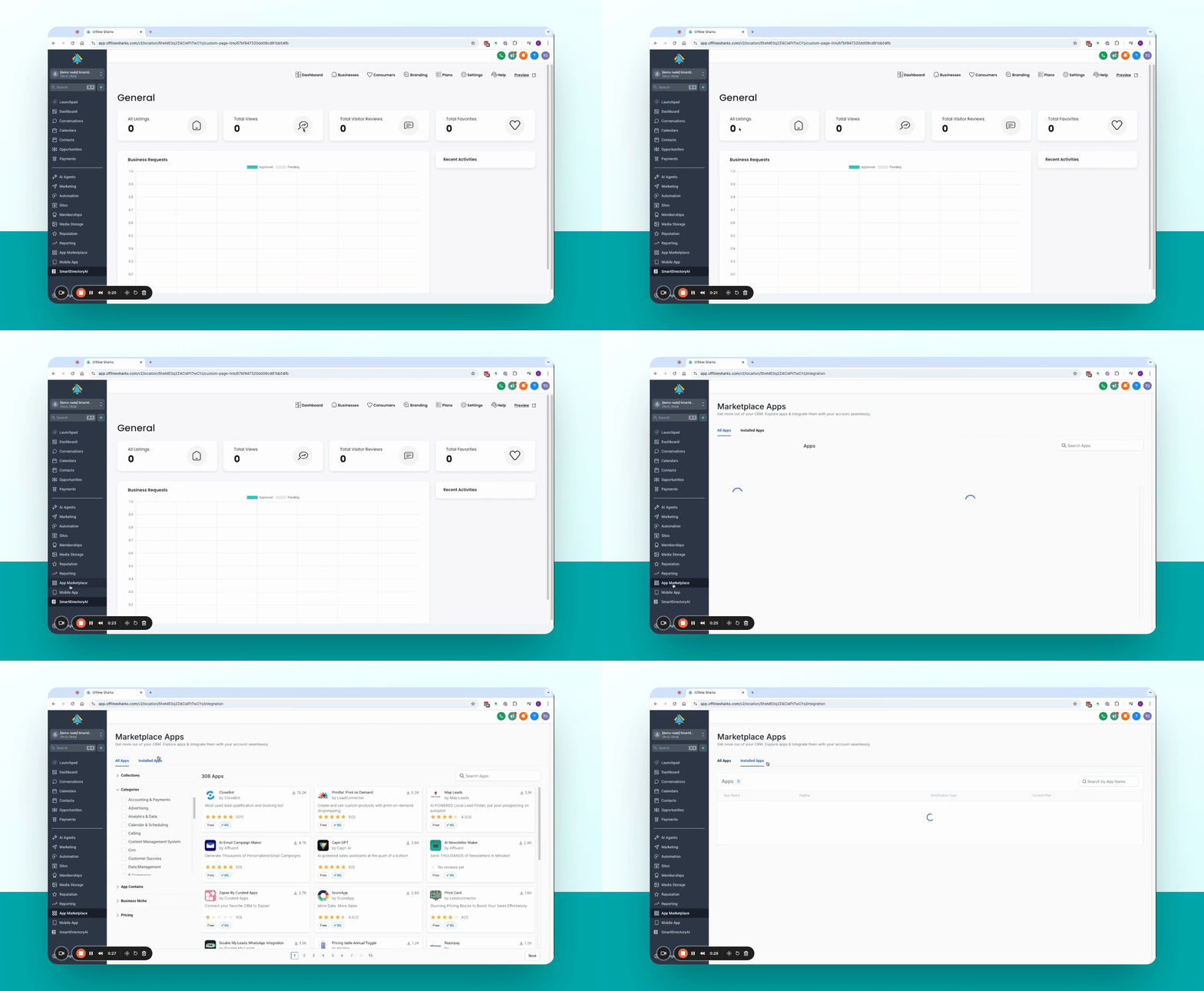
Step 1: Access App Marketplace
Open the Smart Directory app and navigate to App Marketplace.
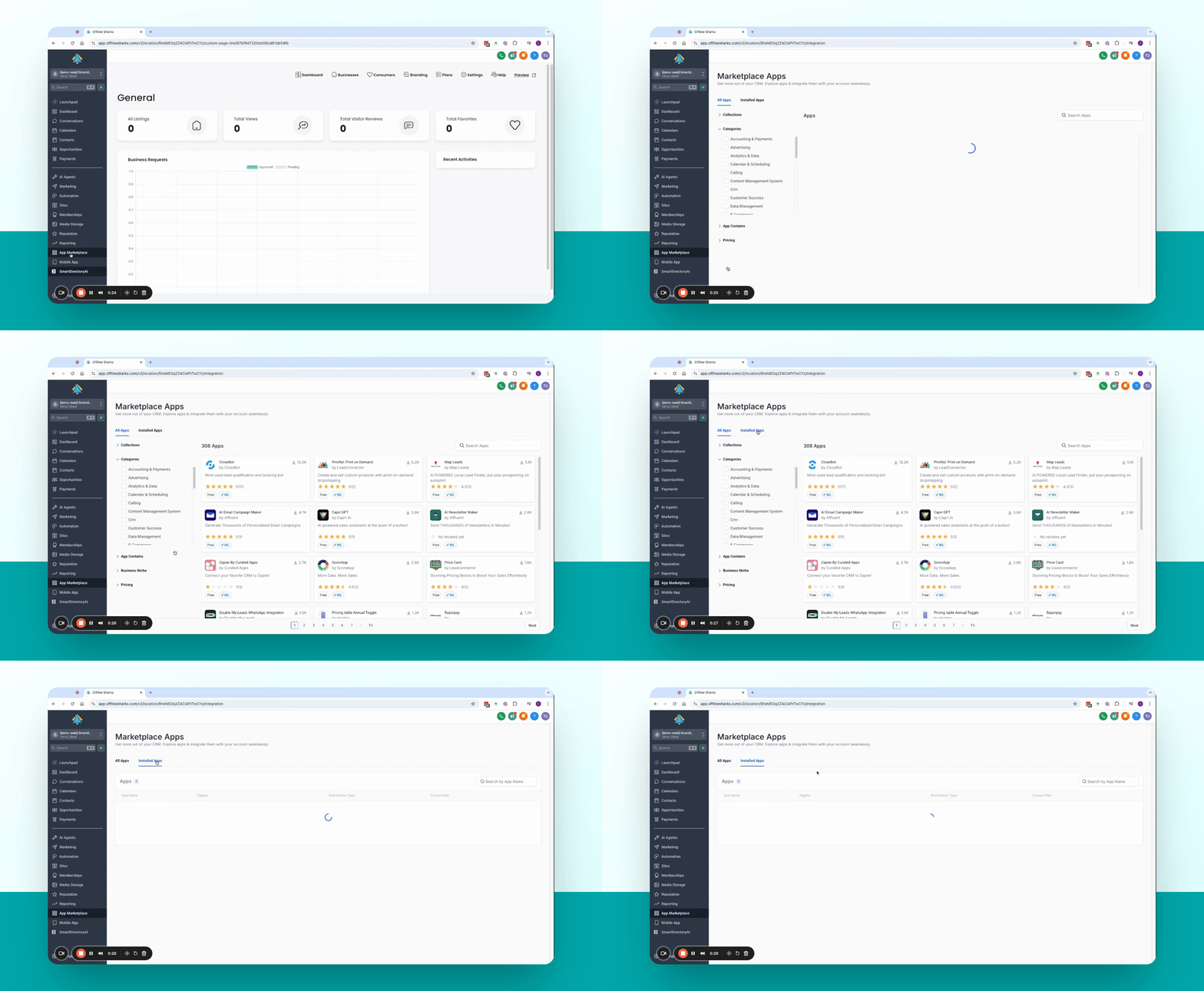
Step 2: Go to Installed Apps
Select Installed Apps to view your current applications.
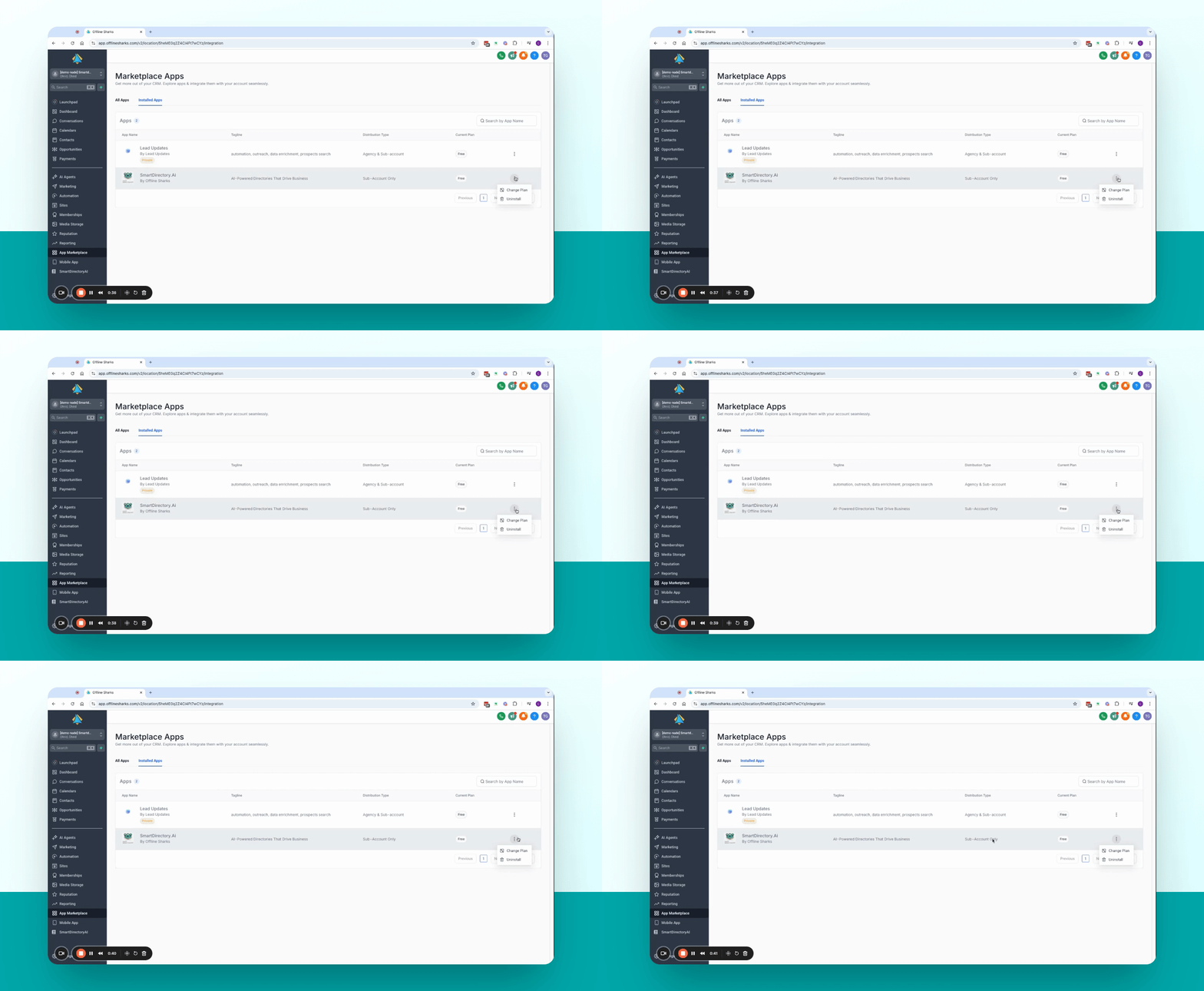
Step 3: Uninstall the App
Click on the three dots next to Smart Directory AI, then select Uninstall.
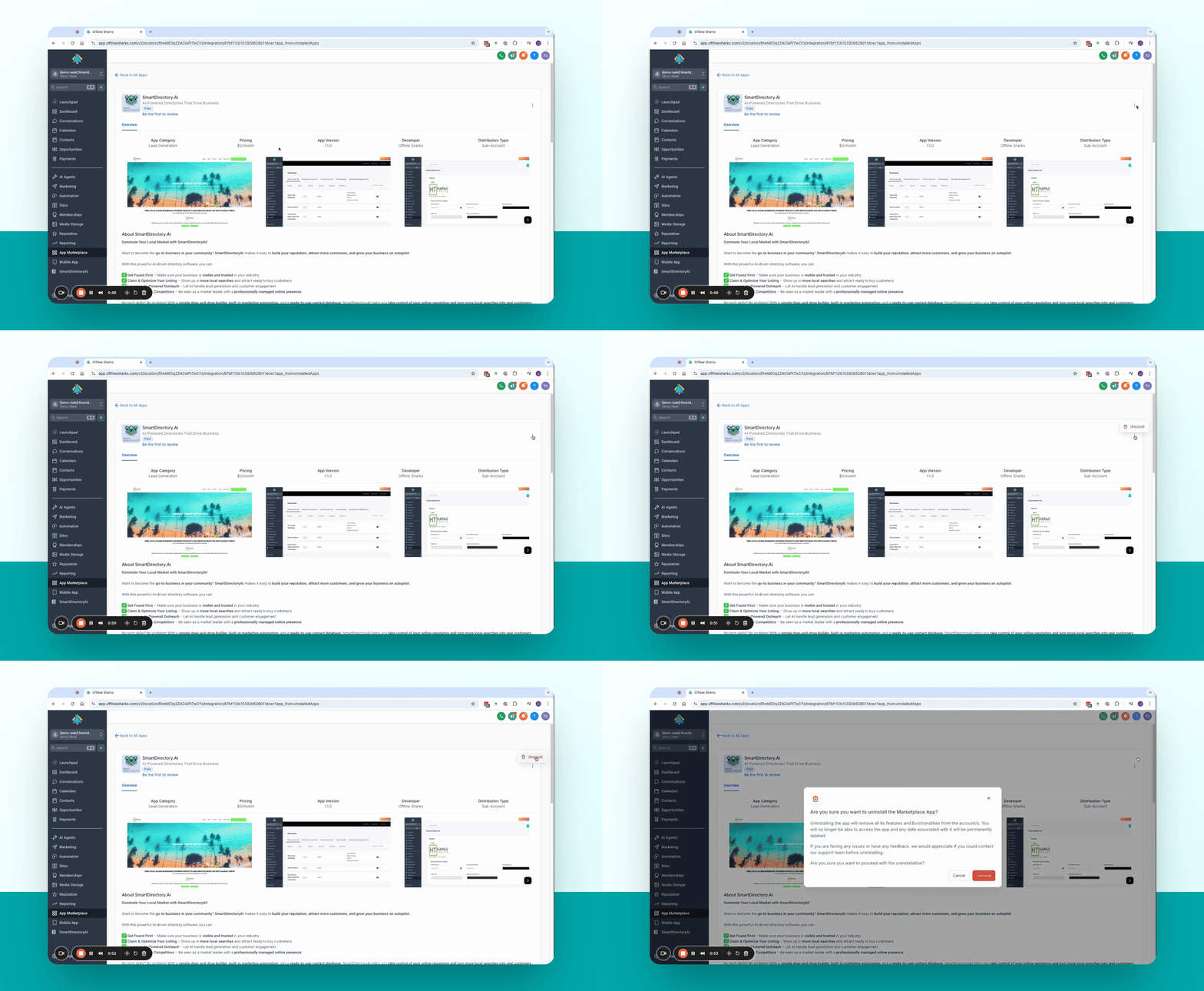
Step 4: Confirm Uninstallation
Confirm the uninstallation by clicking the red Uninstall button.
Step 5: Install the App
Still in the App Marketplace, click Install for Smart Directory AI.
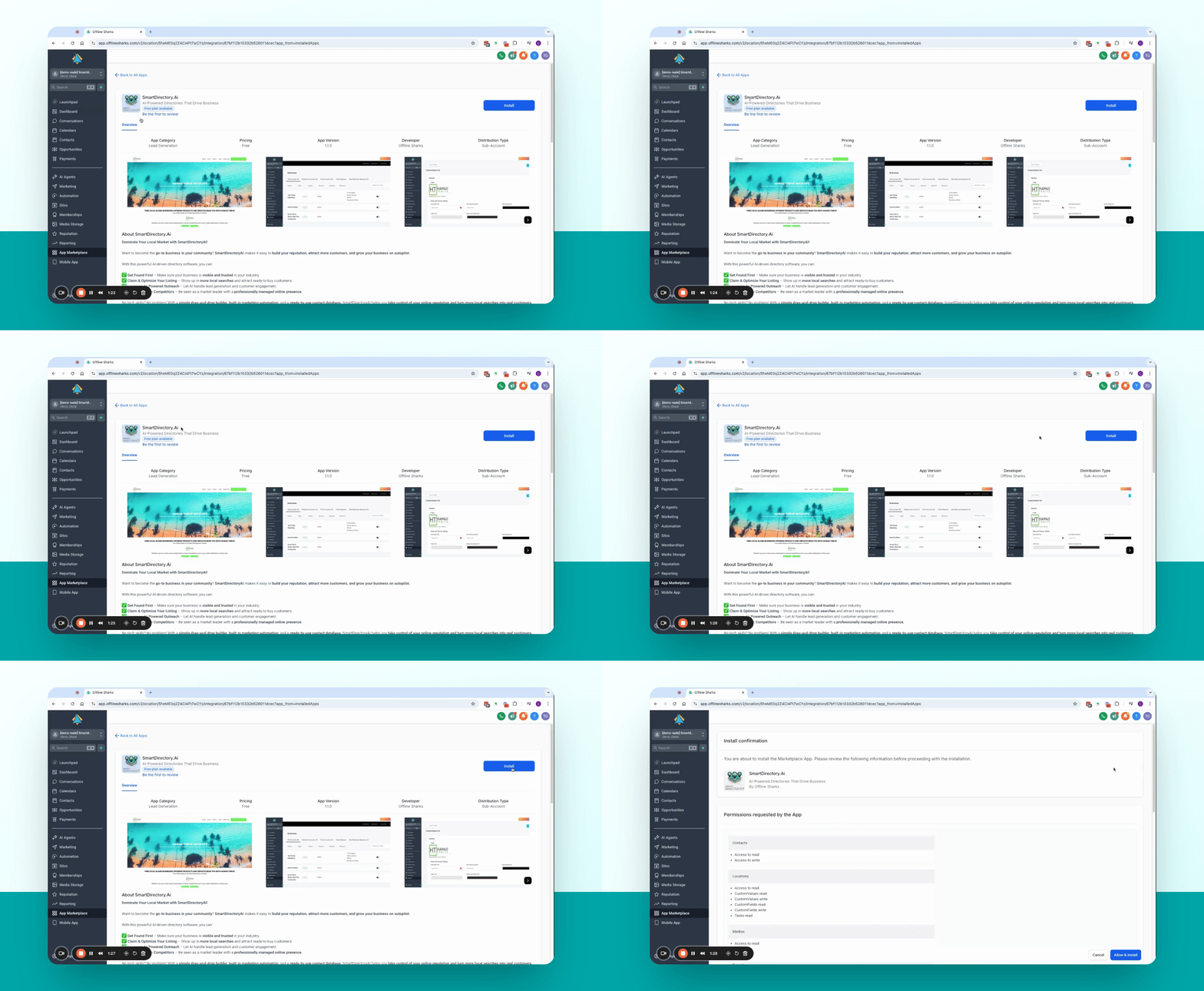
Step 6: Complete Installation
Scroll down, select Allow and Install, choose the external purchase Free, and confirm.
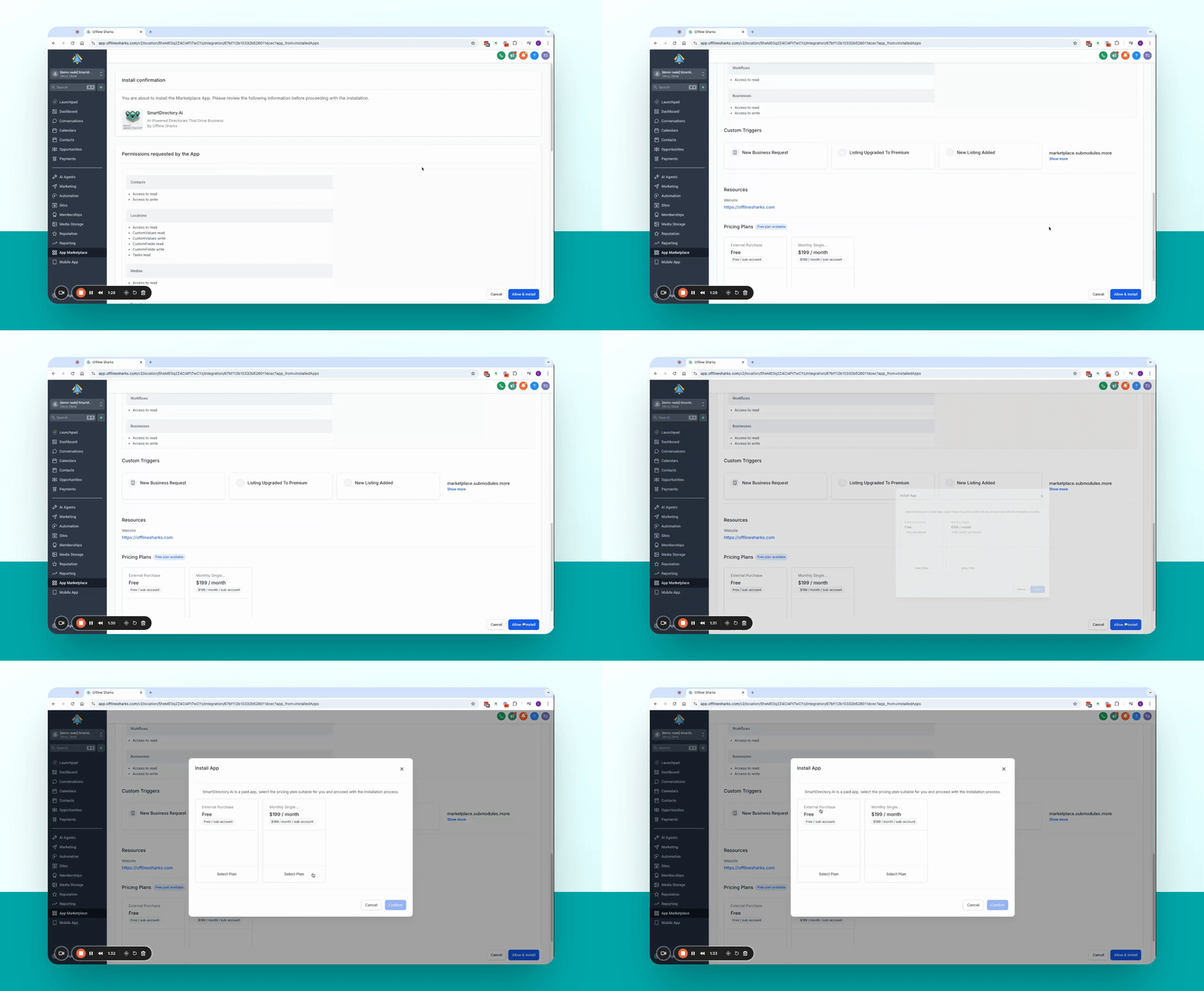
Step 7: Refresh and Verify
Refresh the page to see Smart Directory AI back in your menu.
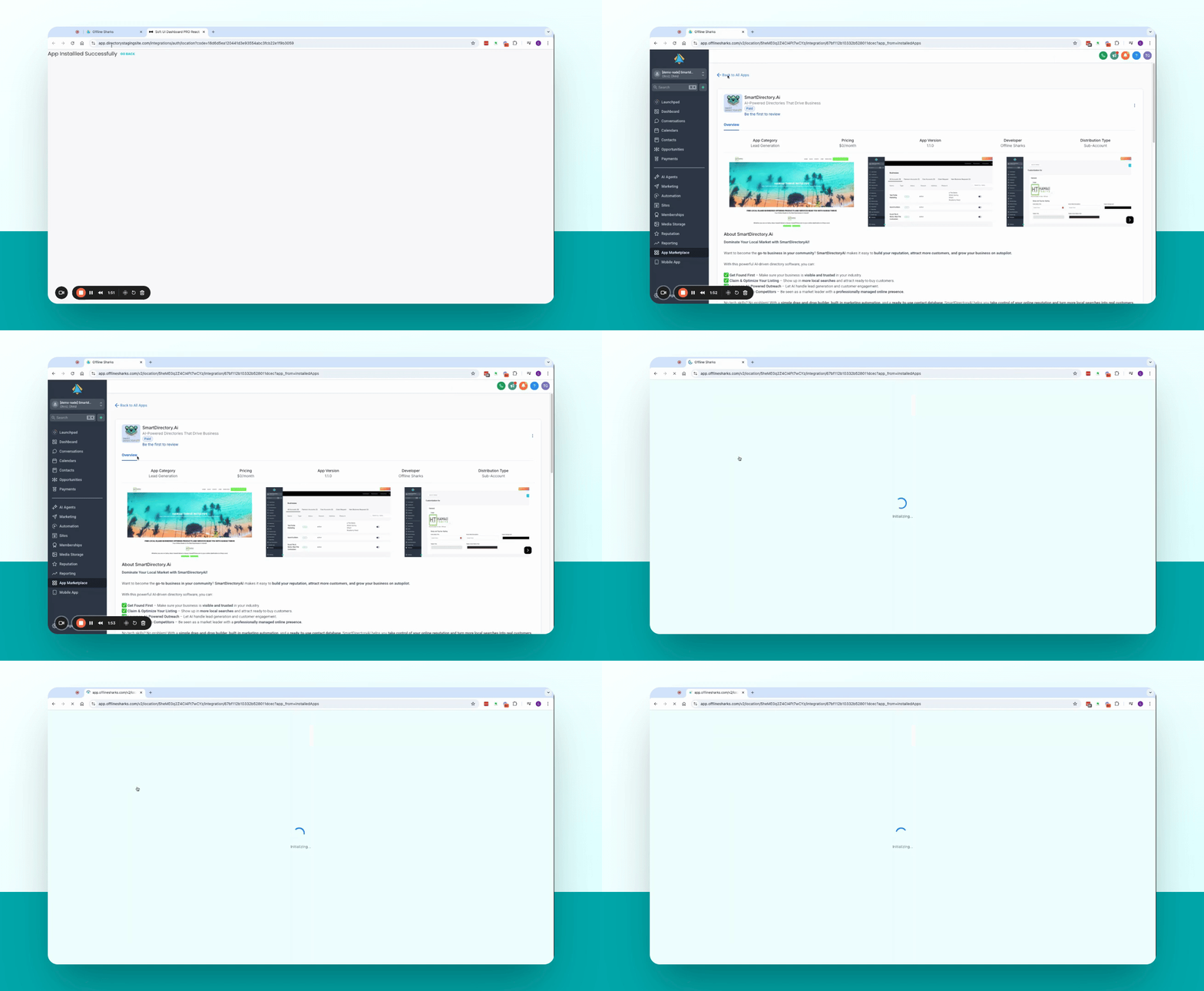
Step 8: Access Your App
Click on Smart Directory AI to return to your installation with settings intact.
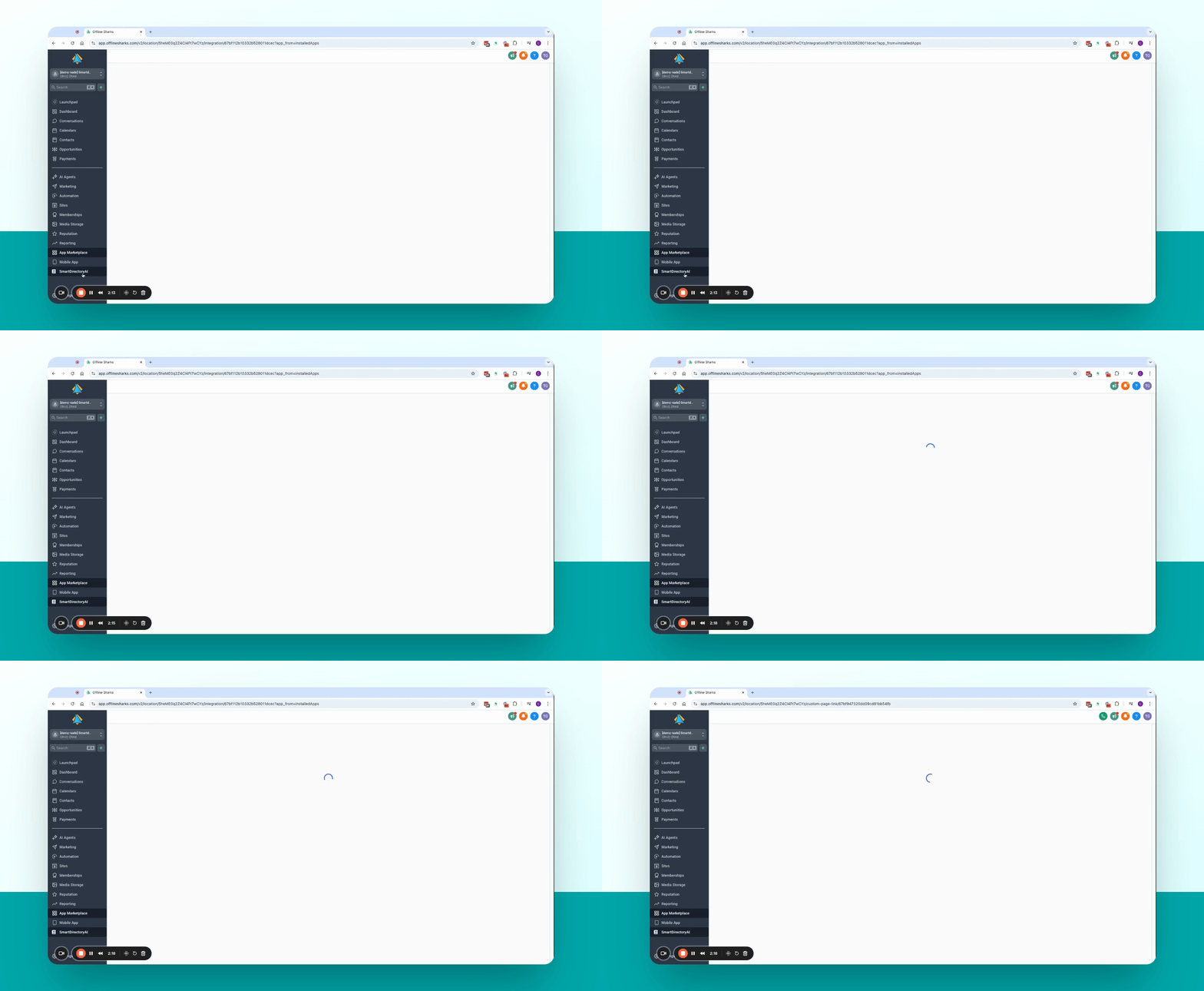
Troubleshooting
App fails to uninstall.
Ensure you have the necessary permissions to uninstall the app.
Installation does not complete.
Check your internet connection and try again.
FAQ
Will my settings remain?
Yes, your settings should carry over after reinstalling.
How do I confirm uninstallation?
Click the red uninstall button when prompted.