Click here for a direct link to the SmartDirectoryAI app on the HighLevel App Marketplace.
You can also find the app by logging into HighLevel, navigating to your desired sub-account, scrolling down to "App Marketplace" option in the left-hand menu, and then searching for "SmartDirectoryAI"
Which price option to choose when installing?
When you're installing SmartDirectoryAI, you'll see two price options:
Already Purchased: Free
Sign Up Now: $199 / month
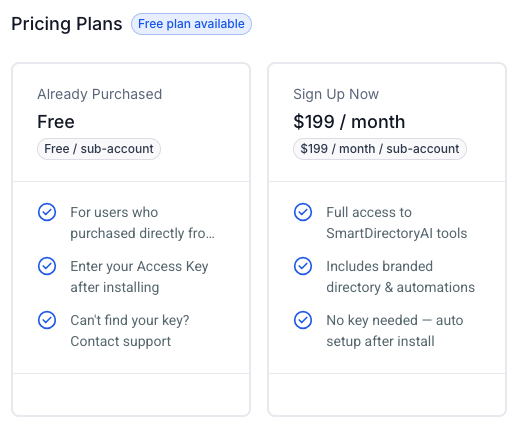
If you already purchased SmartDirectoryAI through Offline Sharks...
Choose the Already Purchased: Free option. After installing the app, you’ll be prompted to enter your License Key. (Need your License Key? Contact us here.)
If you haven't purchased yet...
You can get SmartDirectoryAI right in the HighLevel App Marketplace, choose the Sign Up Now option and follow the checkout process.
See a Price Higher Than $199? Here's Why
Note: If you see the price as $208.95 (or a price higher than $199 / month), it is due to the Reselling settings of your HighLevel account. To change these settings:
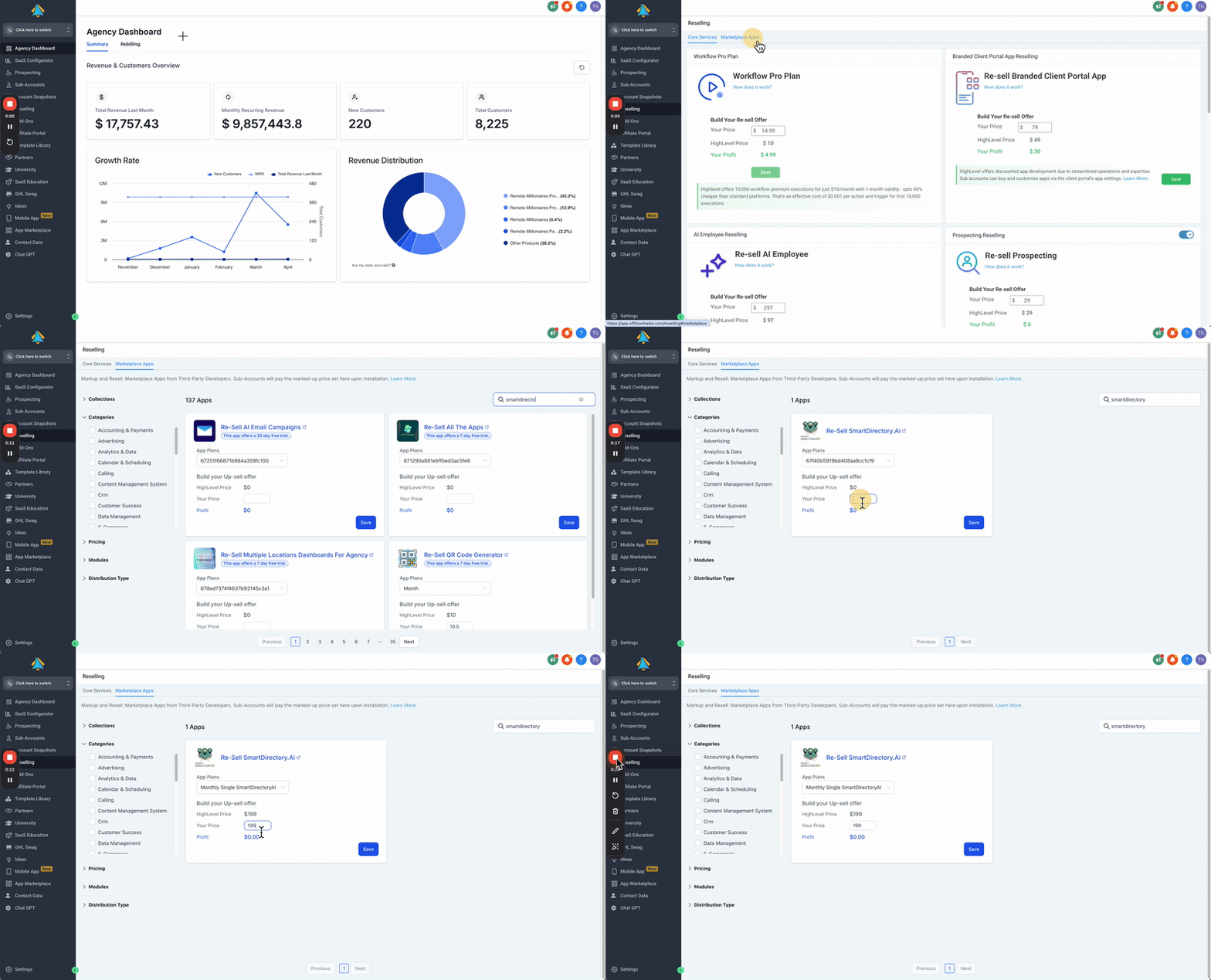
From your HighLevel agency dashboard (not in any sub-account), click Reselling in the left-hand menu.
Click the Marketplace Apps tab along the top.
Search for SmartDirectoryAI.
Choose the Sign Up Now plan, and then enter your desired agency markup. (Note: this option allows you to sell SmartDirectoryAI to sub-accounts within your agency at a profit. If you're installing for yourself, enter a $0.00 markup.)
Click Save.